

A link can begin with a service you recognise and still take you somewhere unexpected. Email platforms, marketing tools and security products often redirect clicks through another address first. That is useful for reporting or protection, but it can also make the final destination harder to judge.
Tracking links and redirects are not the same thing
Some tracking links simply add campaign details to the final address. Others send your browser through a redirect service before opening the destination.
The redirect is the important part. Hovering over a link may show the first address, but that address can immediately send you somewhere else.
What this can look like
Imagine an email asking you to review an invoice. The button points to a familiar email or document service, so it does not look unusual at first. After you click, that service redirects the browser to an unexpected Microsoft 365 sign-in page.
The familiar service did not necessarily create or host the fake page. It was simply used as the first stop. Microsoft has documented phishing campaigns that abused legitimate open redirect links to make malicious destinations harder to recognise.
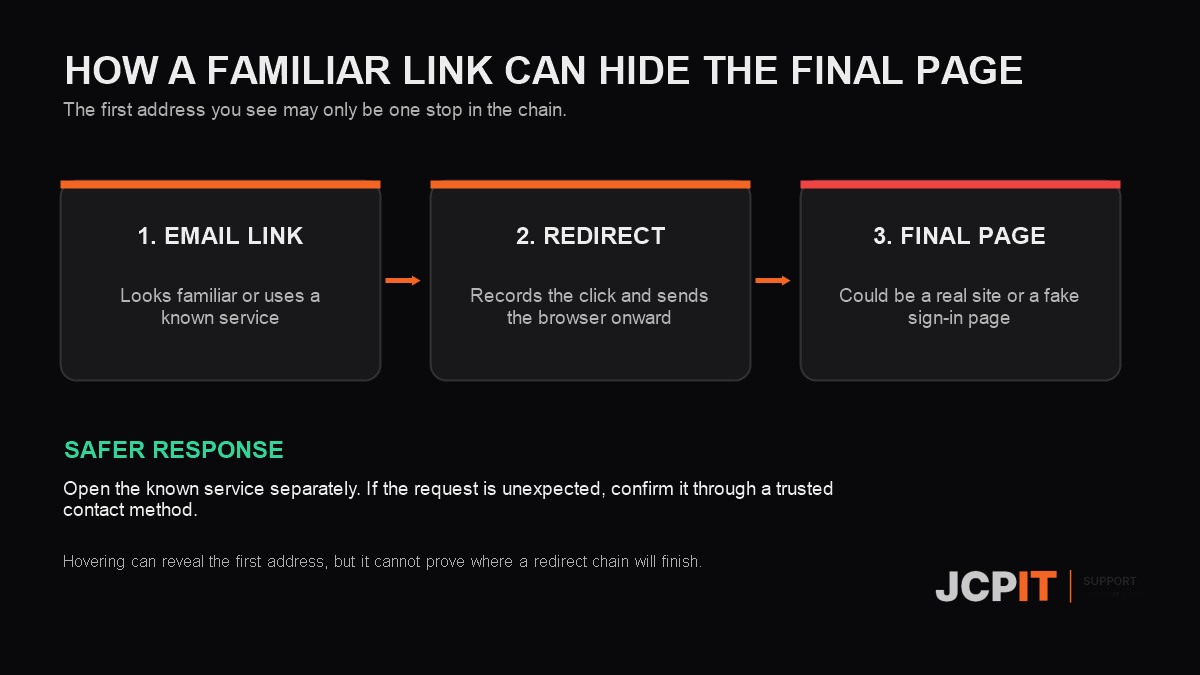
Why the first address does not tell the whole story
A redirect can point to a different page later, even after the email has been sent. This is one reason some security products check links when they are clicked rather than relying only on an earlier scan.
Microsoft Safe Links is one example. It may rewrite a link through safelinks.protection.outlook.com and check it at the time of the click. Safe Links is part of Microsoft Defender for Office 365, and the protection available depends on the organisation’s licence and policy settings. Microsoft explains the behaviour in its Safe Links documentation.
A tracked link is not automatically malicious
Businesses use tracked links for legitimate reasons, such as measuring campaign clicks. A recorded click does not always mean a person read and acted on the email. Security scanners can also visit tracked links, which can affect reporting. Mailchimp provides a useful explanation of bot activity in click data.
The risk is not tracking by itself. It is trusting the first address without considering where the redirect finishes.
What staff should do
- If an unexpected message asks you to sign in, open the known service separately from a bookmark or by typing its address.
- Hovering can reveal an obvious mismatch, but remember that it may show only the first stop.
- Do not approve a payment, password reset or account change from a link you were not expecting.
- Report suspicious messages through your business’s usual internal process so other staff can be warned.

If you believe a message is a scam, the Australian Government’s Scamwatch site explains how to recognise and report phishing scams. Our guide on how to identify a phishing email covers the other warning signs staff should know.
If your business sends tracked links
Use direct links when tracking adds little value, especially for invoices, password resets and payment changes. If a redirect is necessary, use a domain customers recognise, keep the chain short and test the final destination.
Disable old redirects that are no longer needed. Ask your marketing or IT provider whether outsiders can choose arbitrary destinations through the service. A familiar domain can help customers understand a message, but it should never be treated as proof that the final page is safe.

